
Archive your files. Manage revisions.
LiquidoDocs Explorer archives any type of file, keeps the revision history and helps you always find the correct version.
Download Explorer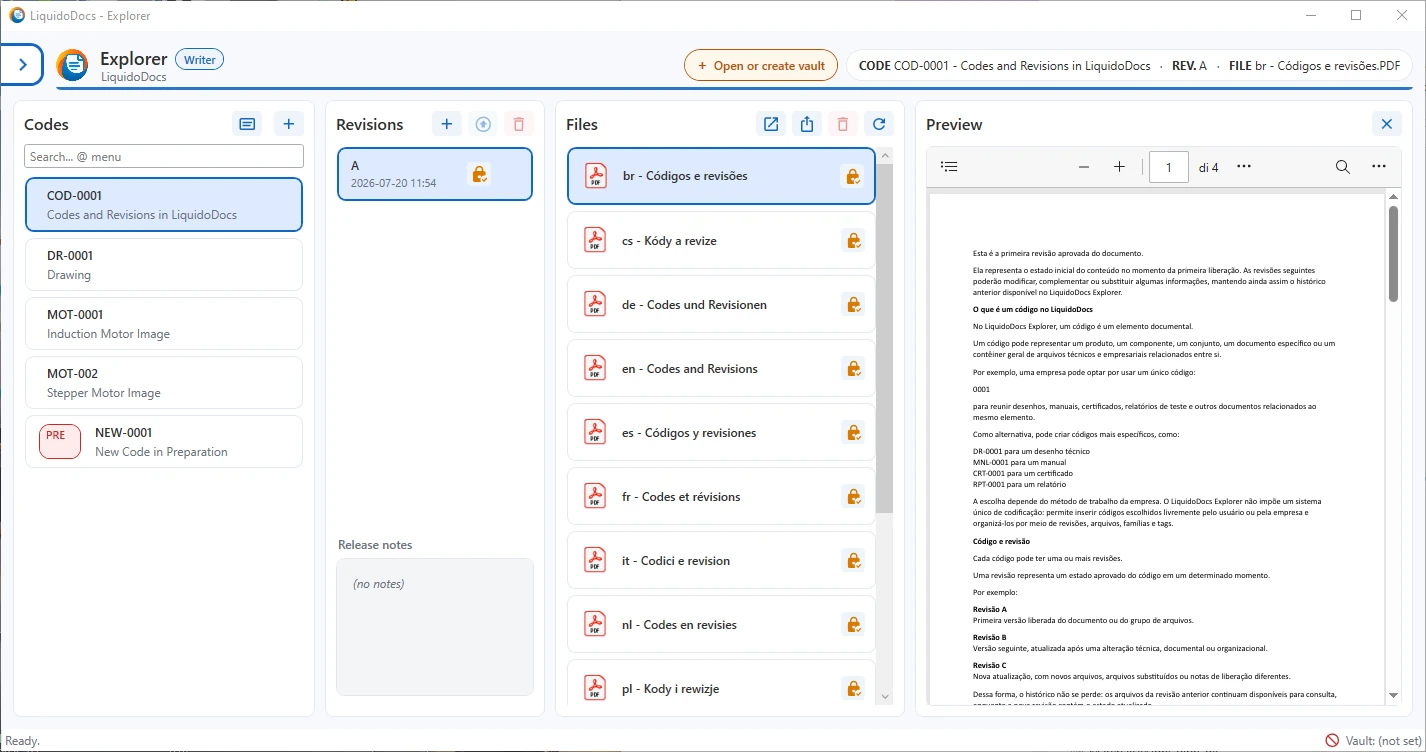
What does Explorer do?
Explorer does not create your documents and does not edit them: it archives them and manages their revisions.
It is designed to turn messy folders, scattered copies and confusing revisions into an orderly archive that is easy to consult.
- Archive PDF, Word, Excel, images, drawings, ZIP files or any other type of file. Each revision can contain one or more files.
- Keep the history of approved revisions while preventing accidental changes.
- Draft files can be modified until the revision is approved.
- It helps you quickly find the correct version when needed.
- Files stay on your computer or on your server, with no mandatory cloud.
In practice: an orderly archive with revisions. Nothing more. Nothing less.
When revisions are not under control
- Files scattered across local folders, external drives and different paths.
- Names such as “final”, “definitive”, “new”, “rev2” or “copy” make it difficult to understand which file should be used.
- Unnecessary copies of the same content saved several times with different names.
- No clear history of previous versions.
- Risk of losing or overwriting important revisions.
- Drafts, approved files and old versions mixed in the same folder.
- Time wasted manually renaming, moving and searching for files.
- People working on different revisions of the same document.
- Accidental use of obsolete or outdated revisions.
- Important files saved in the wrong place and hard to find again.
Explorer turns folder disorder into an orderly archive with revision management.
Why choose Explorer?
- Files always yours : Files stay on your computer or on your server. Explorer organizes them without forcing you to use a proprietary cloud.
- Protected revisions : Approved revisions remain protected during normal use of the program, keeping the project history reliable.
- No duplicate files : Explorer recognizes files with identical content and prevents them from being added repeatedly to the same archive, even when they have different names.
- Ready to use immediately : With BaseArchive, you can get started without installing servers, configuring centralized services or managing complex roles and permissions. Simply choose a folder and create your archive.
- Ready to grow : You can start with a simple local archive. When needed, LiquidoDocs can grow with new modules, servers and more advanced features.