Export files
How to copy a file outside the LiquidoDocs Explorer archive.
File export
Export lets you copy a file from the archive to a folder chosen by the user.
This feature is useful when you want to obtain an independent copy of a file, for example to send it, attach it, keep it outside the archive or work on it separately.
Use the Export command
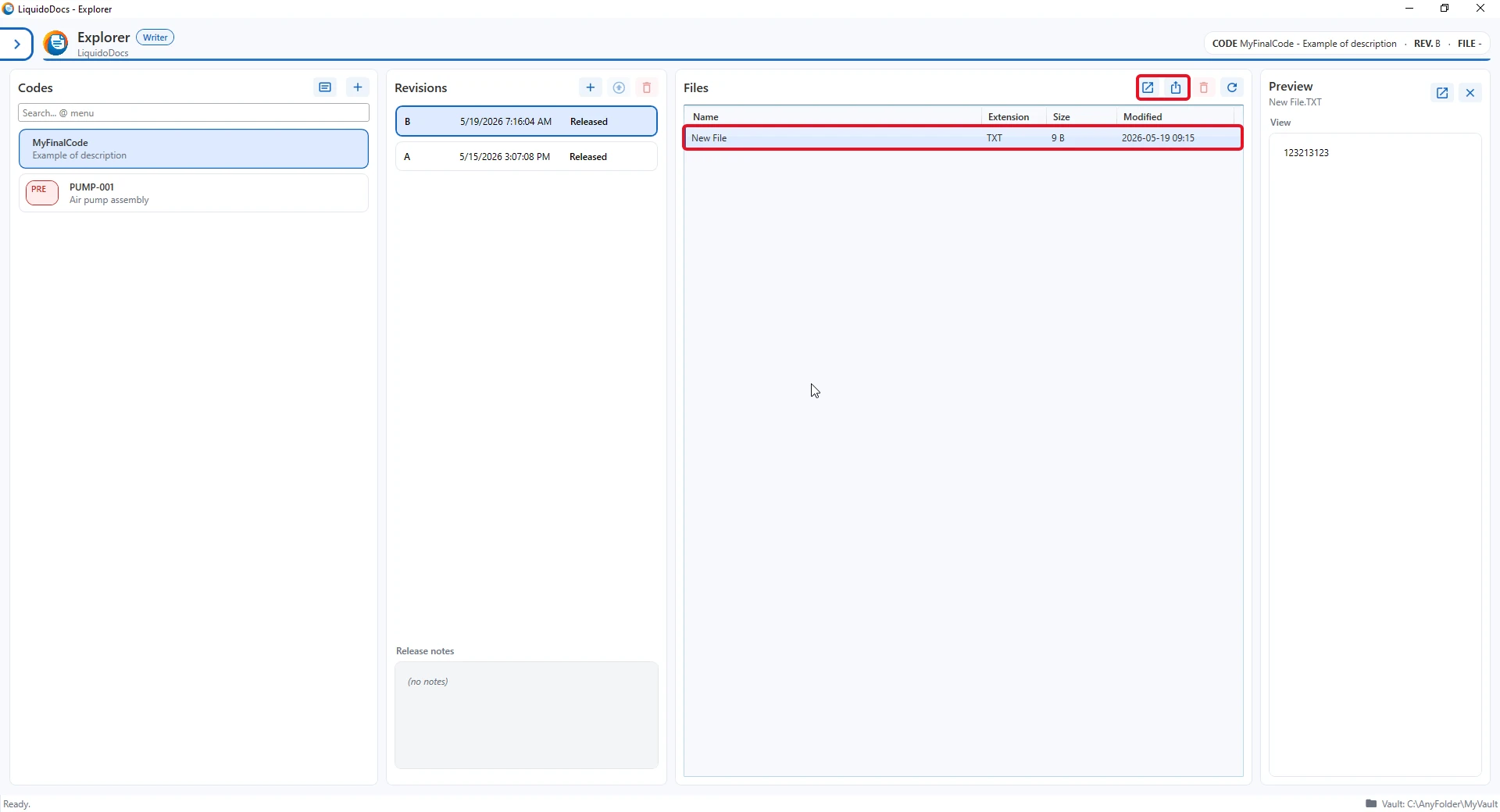
To export a file, select it in the files section and use the “Export” command.
- Select the file to export.
- Press the “Export” button or use the context menu with the right mouse button.
- Choose the folder where you want to save the file copy.
When to use export
Exporting a file means creating a copy outside the archive. The exported copy is no longer controlled by LiquidoDocs Explorer.
- When you need to send a file to another person.
- When you want to keep a copy in an external folder.
- When you want to work on a separate copy without modifying the content of the draft or revision.
Drafts and published revisions
Export creates a copy of the file in the chosen location. It does not change the content of the draft and does not modify already published revisions.
Other guides about files
Consult the other documentation sections to import, open, delete or view file previews.