Create a family choice
How to add a new choice to a Vault family in LiquidoDocs Explorer.
Family choices
Choices are the values available within a family.
A family defines the type of classification, while its choices represent the values that you can associate with codes. For example, a “Document Type” family can have choices such as “Drawing”, “Manual” or “Certificate”.
Open the Families section
To create a new choice, open the main menu using the Bookmark button and go to the Families section.
- Press the Bookmark button to open the main menu.
- Select the Families item to open the Vault family catalog.
Select the family
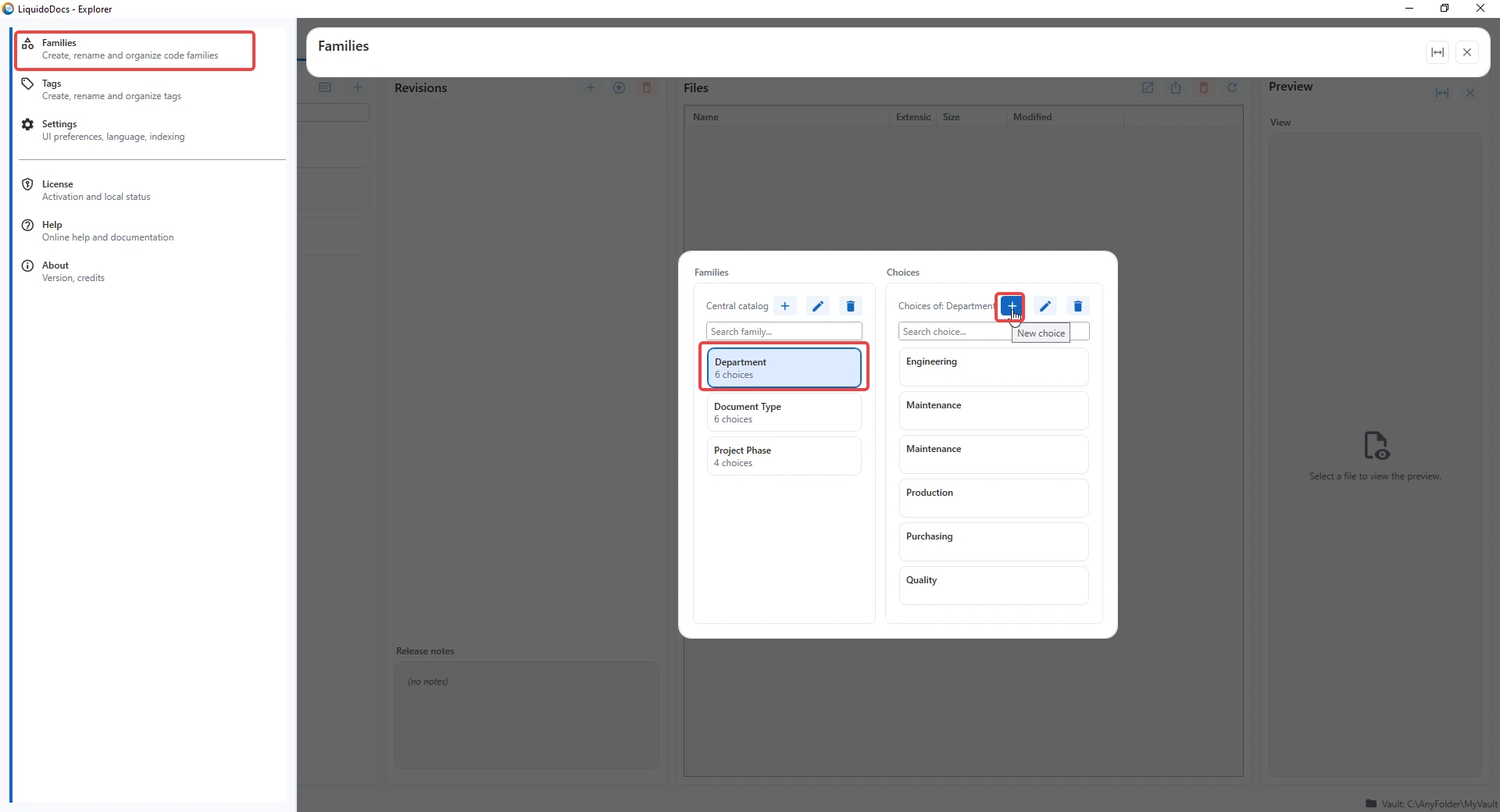
Before creating a choice, select the family you want to add it to in the families column. After selection, the choices section shows the values already present for that family.
Use the + button
After selecting a family, use the “+” button in the choices section to add a new value.
- Select the family to which you want to add the new choice.
- Press the “+” button in the choices section.
- Enter the name of the new choice in the window that opens.
Enter the choice name
In the creation window, enter the name of the new choice to add to the selected family.
- Write the name of the choice to add to the family.
- Press “OK” to create the choice.
- Press “Cancel” to close the window without creating anything.
After creation
The new choice is added to the selected family in the Vault catalog.
After creation, the choice can be associated with codes together with its family and used in search.
Example
If you create the “Department” family, you can add choices such as “Engineering”, “Quality” or “Maintenance”. If you create the “Flowers” family, you can add choices such as “Roses”, “Tulips” or “Daffodils”. The structure depends on how you want to organize your Vault.
Other guides on tags and families
Consult the other documentation sections to create families, create tags or associate tags and families with codes.