LiquidoDocs Explorer settings
How to open the main menu, choose the Vault location and set the interface language.
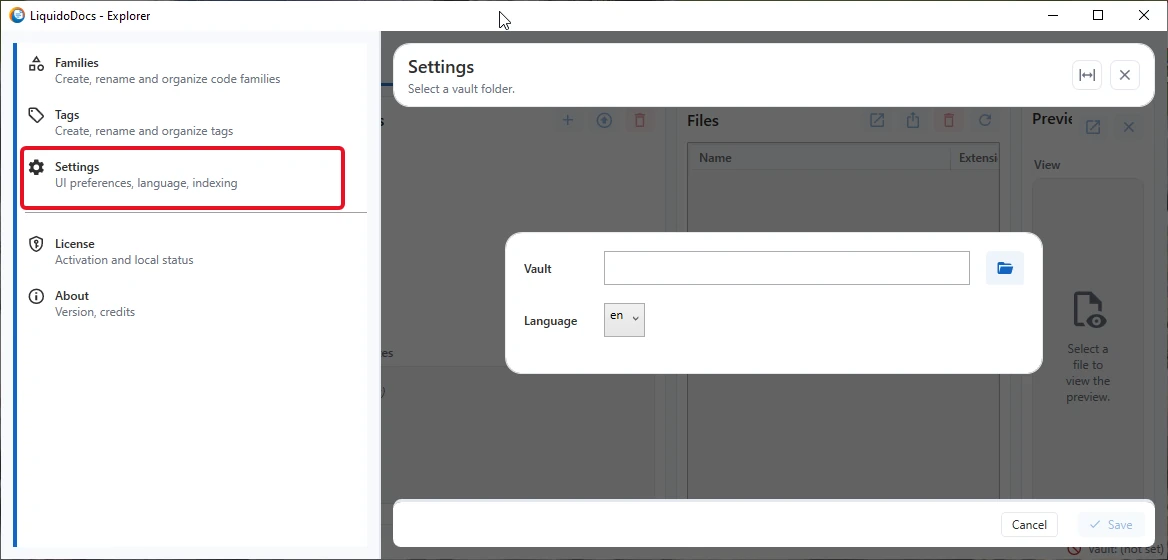
Open the settings
The main settings of LiquidoDocs Explorer are available from the application’s main menu.
Vault location
In the settings you can choose the Vault location, which is the folder where LiquidoDocs Explorer stores and manages working archives.
The Vault location can be any folder visible from the computer, including local folders, network folders, company servers and NAS devices.
Interface language
From the settings you can also select the interface language of LiquidoDocs Explorer.
The selected language is used for the application texts, main messages and screens available in Explorer.
Other Explorer guides
Consult the other documentation sections to continue configuration and understand the main features of LiquidoDocs Explorer.