Create a draft
How drafts work in LiquidoDocs Explorer, from a new code to preparing a new revision.
What a draft is
A draft is a temporary workspace used to prepare files and information before publishing a revision.
In LiquidoDocs Explorer, the draft lets you work on document content without directly modifying an already published revision. When the work is ready, the draft can be promoted to a new revision.
New code: draft and pre status
When you create a new code, Explorer automatically creates an initial draft. At this stage the code is still in “pre” status, because no official revision exists yet.
Create a draft from an existing revision
When a code already has a published revision, you can create a new draft to prepare changes, add files or update the document content before the next revision.
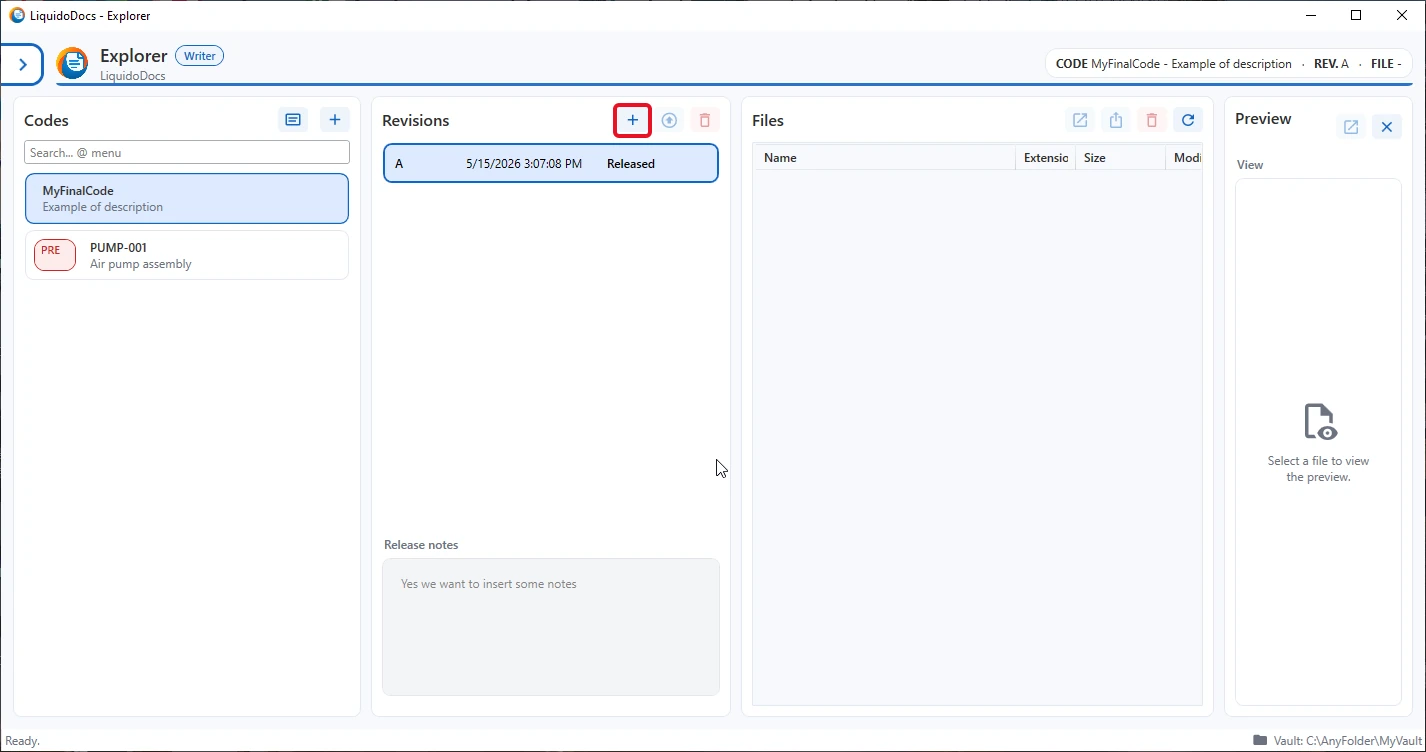
- Select the code from the list.
- Press the “+” button in the revisions section to create a new draft.
- Work on the files and information in the draft before promoting it to a new revision.
What the draft is for
The draft is designed to prepare a new document version before making it official.
- It lets you add, remove or update the files linked to the code.
- It lets you prepare the revision notes before publication.
- It lets you check the content before promoting it to a revision.
From draft to revision
When the draft content is ready, you can promote it to a revision. The first draft of a new code becomes revision A; later drafts become the following revisions.
Other guides about drafts
Consult the other documentation sections to add files, promote a draft to a revision or delete a draft.